
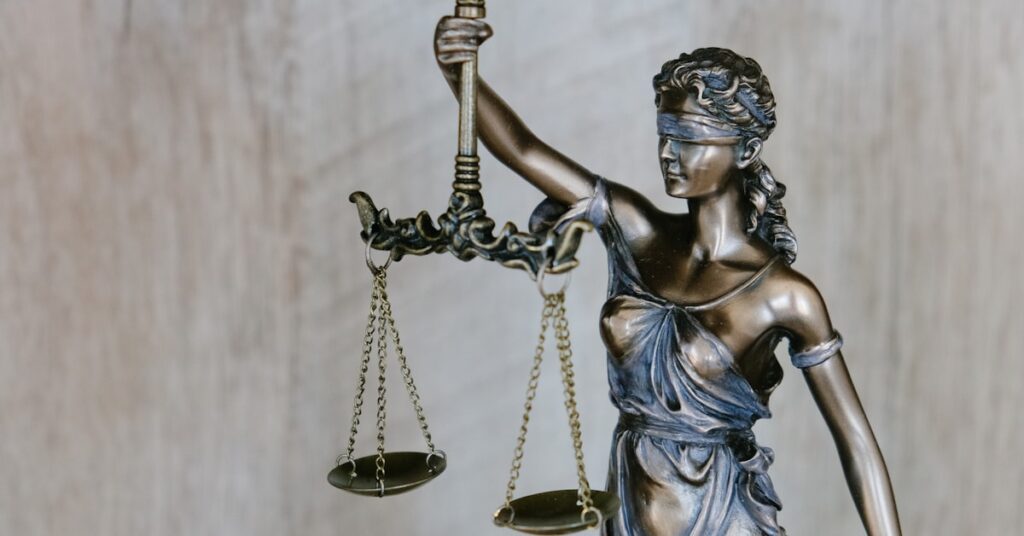
Why Copyright Matters for UK Bloggers
When you hit publish on a blog post, you are creating something that belongs to you. Under UK law, copyright protection applies automatically to original literary works the moment they are created. That includes every blog post, guide, listicle, and resource you write. You do not need to register your work, pay a fee, or stick a copyright symbol on the page for it to be protected. The law has your back from the second you write those first words.
But here is the thing. Copyright cuts both ways. The same law that protects your writing also means you cannot just use other people’s content, images, or media without permission. Many UK bloggers assume that because something is on the internet, it is free to use. That is not how copyright works, and getting it wrong can land you in hot water.
This guide covers what copyright actually means for UK bloggers in 2026, how to protect your own work from content theft, and how to make sure you are not accidentally infringing on someone else’s rights.
What UK Copyright Law Says About Blog Content
Copyright in the UK is governed by the Copyright, Designs and Patents Act 1988. It has been updated over the years to cover digital content, but the core principle remains the same. The creator of an original work has exclusive rights to copy, distribute, and adapt that work.
For bloggers, this covers:
- Written content, including blog posts, articles, and guides
- Photographs and images you have taken yourself
- Graphics, infographics, and illustrations you have created
- Video content and audio recordings
- Website design and layout (in some cases)
Copyright protection in the UK lasts for the lifetime of the creator plus 70 years after their death. For practical purposes, that means anything you publish today will be protected for a very long time.
If you have not already read our guide on the broader legal landscape for UK bloggers, check out Blogging Legal Essentials for UK Bloggers 2026: GDPR, Disclaimers, Affiliate Disclosure, and Copyright. It covers the full picture of what you need to know about running a legally sound blog.
How Content Theft Happens and What to Do About It
Content theft is frustratingly common in the blogging world. Someone copies your post, republishes it on their own site, and sometimes even ranks higher than you in search results. It happens more often than most bloggers realise.
There are a few common scenarios:
- Full copy and paste. Someone copies your entire post and publishes it as their own.
- Scraping. Automated tools grab your RSS feed or page content and republish it on spam sites.
- Partial rewriting. Someone takes your structure and ideas, changes a few words, and calls it their own.
- Image theft. Someone downloads and uses your photos without permission or attribution.
The first step is spotting it. You can use tools like Copyscape, Grammarly’s plagiarism checker, or Google Alerts set to track unique phrases from your posts. If you run a larger blog, services like CopyLeaks can scan the web for copies of your content automatically.
If you find someone has stolen your content, here is what to do:
- Contact them directly. Many smaller sites will take content down if you ask politely. Find their contact page or use a WHOIS lookup to find the site owner.
- Send a DMCA takedown notice. The Digital Millennium Copyright Act is US law, but most hosting providers around the world respond to DMCA notices because they do not want to lose their safe harbour protections. You can send a takedown notice to the site’s hosting provider directly.
- File a Google DMCA complaint. If the stolen content is ranking in search results, you can submit a removal request through Google’s Legal Removal tool. Google will de-index the infringing page if your complaint is valid.
- Report to the site’s advertising network. If the offending site runs ads through Google AdSense, Ezoic, or Mediavine, reporting copyright infringement can get their account suspended. That gets their attention fast.
DMCA Takedowns: What UK Bloggers Need to Know
Even though the DMCA is an American law, it matters for UK bloggers because most major platforms and hosting companies operate under US jurisdiction. Google, WordPress.com, Squarespace, Bluehost, and nearly every major web host respond to DMCA notices.
If you need to send a DMCA takedown, include the following:
- Your full name and contact information
- A link to your original work showing the date it was published
- A link to the infringing page
- A statement that you believe the use is not authorised
- A signature (digital is fine)
Most hosting providers have a dedicated abuse email address or an online form. Check the website’s terms of service or do a WHOIS lookup to find the hosting provider, then search for their DMCA contact.
Under UK law, you also have protections under the Copyright, Designs and Patents Act 1988. You can seek a court order to have infringing content removed, though for most bloggers the DMCA route is quicker and cheaper.
Can You Use Images You Find Online?
This is one of the most common copyright mistakes bloggers make. Just because an image shows up in Google Image search does not mean you can use it on your blog. Using images without permission is copyright infringement, plain and simple.
Here is how to check if you can use an image:
- Your own photos. These are always safe. Take your own pictures and you own the copyright.
- Creative Commons licences. Sites like Flickr and Wikimedia Commons let you filter by Creative Commons licence. Each licence has specific requirements. Some require attribution. Some forbid commercial use. Some require you to share your work under the same licence. Read the terms carefully.
- Stock photo sites. Unsplash, Pexels, and Pixabay offer images under permissive licences that are generally safe for blog use. But check the specific licence terms because even “free” sites have restrictions sometimes.
- Paid stock photography. Shutterstock, Adobe Stock, and iStock give you clear commercial licences. This is the safest option if you want to be certain.
- Embedding from social media. Embedding a tweet or Instagram post is generally considered acceptable, but republishing the image file directly is not.
A quick rule of thumb: If you did not take the photo, pay for it, or find it on a site with a clear licence that allows your intended use, do not use it. It is not worth the legal headache.
How to Protect Your Own Blog Content
Prevention is better than cure. Here are practical steps you can take to make it harder for people to steal your work and easier for you to prove ownership if they do.
- Add a copyright notice to your footer. Something simple like “2026 Your Blog Name. All rights reserved.” While not strictly necessary under UK law, it puts people on notice that you take your rights seriously.
- Use a plagiarism detection service. Copyscape Premium lets you set up automatic monitoring. You get an email alert if it finds copies of your content on the web.
- Register your work. While UK copyright is automatic, registering with the UK Copyright Service provides a dated record that can help in disputes. It is not expensive and gives you extra peace of mind.
- Disable right-click. Adding a simple bit of JavaScript to stop people from right-clicking and saving your images is not foolproof, but it deters casual theft.
- Watermark your images. Adding a subtle watermark with your blog name or URL makes your images less attractive to thieves and ensures you get credit if they are shared.
- Keep dated backups. Your WordPress database contains timestamps for every post. Keep regular backups so you can prove when you published something. Services like Wayback Machine also archive your content automatically.
- Use RSS footer links. If you allow full RSS feeds, add a line at the bottom of each post linking back to your original article. That way, even if someone scrapes your feed, there is a link back to you.
Building a strong site in other areas also helps. If your blog has good authority, you are more likely to recover from someone copying your content. Read our guide on Link Building for UK Bloggers: How to Get Backlinks That Boost Your Blog’s Traffic in 2026 for strategies that strengthen your site’s standing.
Creative Commons and Open Licensing
Creative Commons licences are a popular way for creators to share their work while keeping some rights. If you want to let others use your content under certain conditions, you can licence your blog posts under Creative Commons.
The main Creative Commons licence types are:
- CC BY. Others can use your work as long as they credit you.
- CC BY-SA. Same as above, but any derivative work must be shared under the same licence.
- CC BY-NC. Others can use your work for non-commercial purposes only, with attribution.
- CC BY-ND. Others can share your work but cannot change it.
- CC0. You waive all rights and dedicate your work to the public domain.
If you use Creative Commons images on your blog, keep a record of the attribution details. Note the creator’s name, the licence type, and a link to the original work. That way, if anyone questions your right to use the image, you have the evidence ready.
What Happens If You Infringe Copyright
The consequences of copyright infringement range from a polite email asking you to take something down all the way to legal action and financial penalties. In the UK, copyright infringement is a civil matter, but serious cases can become criminal offences, especially if you are distributing copyrighted work for commercial gain.
For bloggers, the most likely outcomes are:
- A takedown request from the copyright holder
- A DMCA notice to your hosting provider, which could result in your site being taken offline
- A legal letter demanding compensation or damages
- In serious cases, being taken to court
Most disputes are resolved with a takedown request. But if you are using copyrighted images or content commercially (monetised blog, affiliate links, selling products), the risk is higher because you are making money from someone else’s work.
Using AI Tools and Copyright in 2026
AI has changed the copyright landscape significantly. If you use AI tools to generate images or write content, the copyright position is still settling. Under current UK law, copyright requires human authorship, so AI-generated content may not be protected in the same way.
A few things to keep in mind:
- If you generate an image using DALL-E, Midjourney, or similar, check the terms of service. Some platforms give you full usage rights. Others retain rights to the generated content.
- If you use AI to write content, you still need to check for originality. AI models are trained on existing work, and there have been cases where generated text closely mirrors copyrighted sources.
- If someone uses AI to rewrite your blog posts, it is still infringement if the resulting content is substantially similar to your original work. The law focuses on the output, not the tool used to create it.
Practical Steps to Take Right Now
Here is a short checklist you can work through this week to get your blog’s copyright situation sorted.
- Add a copyright notice to your blog footer.
- Set up Copyscape monitoring or Google Alerts for unique phrases from your posts.
- Review every image on your blog and check you have the right to use it.
- Replace any images you are unsure about with your own photos or properly licensed stock images.
- Watermark your original images, especially if you post high-quality photography.
- Keep a dated record of your published posts (export your content from WordPress).
- Familiarise yourself with the DMCA takedown process so you can act quickly if needed.
- Check the terms of any AI tools you use and understand what rights you have to the output.
If you want to strengthen your blog’s overall performance while you are at it, check out our guide on How to Use Google Search Console to Grow Your UK Blog Traffic: A Complete Guide for Bloggers in 2026 and our article on How to Update Old Blog Posts for More Traffic: A UK Blogger’s Complete Guide for 2026. Keeping your content fresh and monitoring your traffic helps you spot stolen content faster.
Final Thoughts
Copyright might not be the most exciting part of running a blog, but it is one of the most important. Taking a few hours now to protect your work and check your own usage of other people’s content saves a lot of stress later. The UK blogging community is built on people sharing their knowledge and creativity. Respecting copyright is part of keeping that community healthy.
If you have questions about a specific copyright situation, it is worth getting professional legal advice. This guide covers the basics, but every case is different. Stay safe out there, and keep creating.

Hi, I’m Axton, a writer, and blogger with a passion for sharing my thoughts and ideas on a variety of topics. From personal experiences to cultural trends. Join me as we explore new ideas and engage in thought-provoking discussions together!