
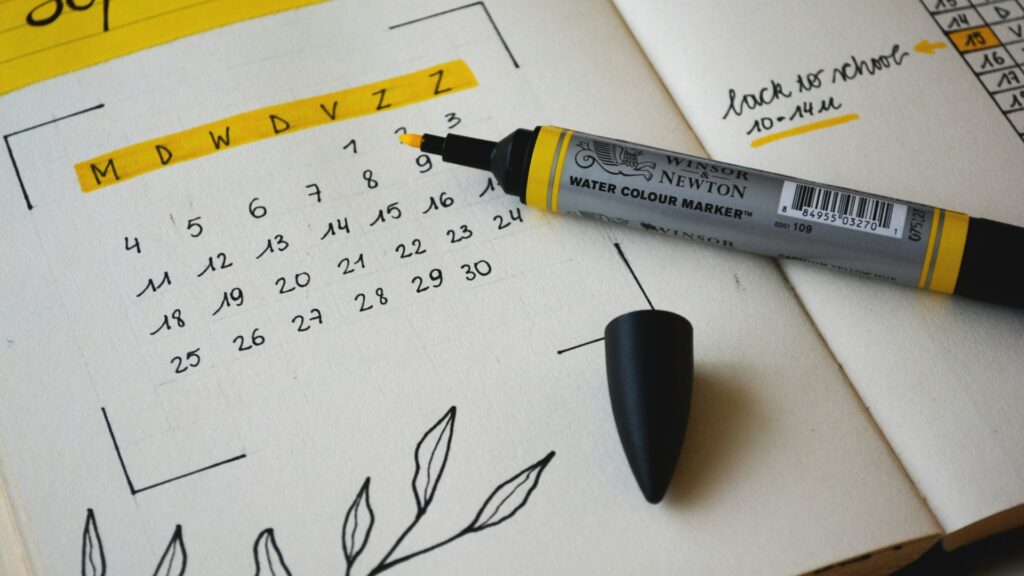
If you have ever sat down to write href=”https://theblogging.co.uk/use-social-media-grow-uk-blog-traffic-2026/” target=”_blank” rel=”noopener”>a blog post and had no idea what to write about, you need a blog editorial calendar. An editorial calendar is a simple tool that helps you plan your blog content in advance, so you never run out of ideas and you always know what you are posting next.
In this guide, you will learn exactly how to create a blog editorial calendar that works for UK bloggers. Whether you blog as a hobby or you are trying to grow a profitable blog, having a content calendar will make your life much easier.
What is a Blog Editorial Calendar?
A blog editorial calendar is a schedule of the blog posts you plan to publish. It can be as simple as a list of post titles and dates in a spreadsheet, or as detailed as a full content plan with keywords, target audience, and promotion tasks.
The purpose of an editorial calendar is to help you stay organised, publish consistently, and align your content with your blog goals. Without a calendar, you end up writing whatever comes to mind, which often leads to gaps in your content and missed opportunities.
Why UK Bloggers Need an Editorial Calendar
If you want to grow your blog and make money from it, you cannot rely on inspiration alone. You need a system. Here is why an editorial calendar is essential for UK bloggers.
Consistency. Google and your readers both love consistency. If you publish once a week on the same day, your audience knows when to expect new content and Google sees your site as active and valuable.
Quality over panic. When you plan your content in advance, you have time to research, write, and edit properly. You are not rushing to publish something at the last minute.
SEO planning. An editorial calendar allows you to plan your keywords ahead of time. You can make sure you are targeting the right search terms and covering topics that fill gaps on your blog.
Seasonal content. UK bloggers can plan content around British seasons, holidays, and events. Christmas, summer holidays, back to school, and bank holidays are all opportunities for timely content that gets more traffic.
What to Include in Your Editorial Calendar
Your editorial calendar does not need to be complicated. Here are the basic fields you should include.
Post Title
Your working title for the blog post. It can change later, but having a title helps you focus on a specific topic.
Target Keyword
The main keyword you want to rank for. This helps you write your post with SEO in mind from the start.
Publish Date
The date you plan to publish the post. Be realistic about how often you can publish. Once a week is a good starting point for most bloggers.
Status
Track where the post is in your workflow. Common statuses are: Idea, Researching, Writing, Editing, Scheduled, and Published.
Category
Which category on your blog does this post belong to? This helps you keep your content balanced across different topics.
Promotion Plan
How will you promote this post after publishing? Social media, email list, Pinterest, and guest posting are all options to note down.
Choosing the Right Tool for Your Calendar
You do not need expensive software to create an editorial calendar. Here are the best options for UK bloggers.
Google Sheets or Excel
A simple spreadsheet is the most popular choice. It is free, easy to use, and you can access it from anywhere. Create columns for each of the fields mentioned above and fill them in as you plan your content.
Trello
Trello is a visual tool that works well for editorial calendars. Create lists for each status and move cards between lists as posts progress. It is great for bloggers who prefer a visual workflow.
Asana or Notion
These are more powerful project management tools that can handle a full editorial calendar with deadlines, assignees, and collaboration features. Notion is particularly popular among bloggers for its flexibility.
WordPress Editorial Calendar Plugin
If you use WordPress, there is a plugin called Editorial Calendar that adds a calendar view to your WordPress dashboard. It shows your scheduled posts and lets you drag and drop to rearrange them.
How to Plan Your Content for a Month
Here is a simple process for planning one month of blog content using your editorial calendar.
Step 1: Brainstorm ideas. Spend 30 minutes writing down every blog post idea you can think of. Do not worry about quality at this stage, just get ideas onto paper.
Step 2: Research keywords. For each idea, do a quick keyword search to see if people are actually searching for that topic. Use Google Keyword Planner, Ahrefs, or even just typing into Google and looking at the suggestions.
Step 3: Choose your best ideas. Pick the ideas that have good search volume and match what your audience wants to read. Aim for four to five posts if you publish weekly.
Step 4: Assign dates. Put each post into your calendar on a specific date. Spread them out evenly so you have one post per week. Consider seasonal timing, for example, a post about Christmas gift guides should be scheduled for early December.
Step 5: Fill in the details. For each post, add the target keyword, category, and any notes about what the post should cover. This makes writing much easier when the time comes.
Tips for Sticking to Your Editorial Calendar
Creating a calendar is the easy part. Sticking to it is harder. Here are some tips to help you stay on track.
Be realistic. Do not schedule five posts per week if you can only manage one. It is better to publish consistently once a week than to burn out trying to publish every day.
Build in buffer time. Leave some room in your calendar for unexpected events. If you have a busy week at work, you will appreciate having a buffer.
Batch write when you can. Try to write several posts in one sitting. When you are in a writing flow, it is easier to produce multiple posts than to write one at a time.
Review regularly. Look at your editorial calendar at the start of each month and adjust as needed. Topics change, new trends emerge, and your calendar should be flexible enough to adapt.
Related Posts
- How to Create a Blog Content Strategy
- How to Find Blog Topic Ideas
- How to Write Evergreen Content for Your Blog
- How to Start an Email List for Your Blog
Conclusion
A blog editorial calendar is one of the simplest tools you can use to improve your blogging. It helps you stay organised, publish consistently, and grow your blog faster. Start with a simple Google Sheet, plan one month of content, and build the habit of planning ahead.
Once you have your calendar in place, you will never have to wonder what to write about again. You will always know exactly what is coming next and you can focus on writing great content.

Hi, I’m Axton, a writer, and blogger with a passion for sharing my thoughts and ideas on a variety of topics. From personal experiences to cultural trends. Join me as we explore new ideas and engage in thought-provoking discussions together!